Medium 15-40 min PLAPETGTPUABSASA
Nozzle Clog
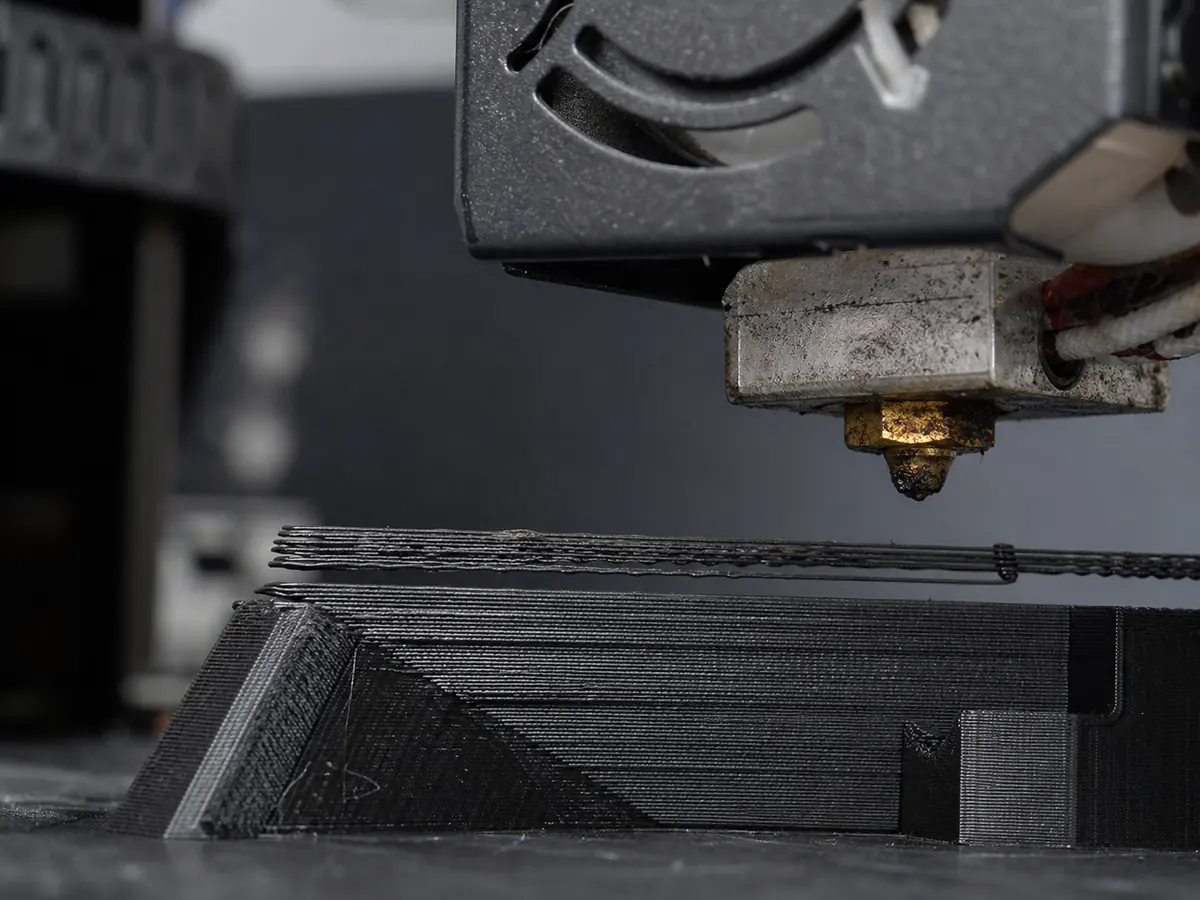
Filament stops extruding or comes out weakly even though the extruder is trying to feed.
Likely causes
Debris or burnt filament in the nozzle
Heat the nozzle, unload filament, and use a cold pull or cleaning filament. Replace the nozzle if cleaning does not restore flow.
Heat creep
Make sure the hotend fan runs correctly. For PLA, avoid printing with a very hot enclosure or closed chamber.
Wrong temperature for the filament
Use the filament label range and avoid switching from high-temp materials to low-temp materials without purging well.
Recommended settings by material
| Material | Nozzle | Bed | Fan |
|---|---|---|---|
| PLA | 195-210 C | 50-60 C | 80-100% |
| PETG | 230-245 C | 70-80 C | 30-60% |
| TPU | 220-235 C | 40-50 C | 30-50% |
| ABS | 240-260 C | 95-110 C | 0-30% |
| ASA | 240-260 C | 95-110 C | 0-30% |
Prevention tips
Change one setting at a time and reprint a small test piece.
Keep filament dry and store open spools in sealed bags or dry boxes.
Clean the build plate regularly and verify the correct slicer profile before long prints.
Related problems
Last reviewed Jun 15, 2026. Troubleshooting content is for reference only.