Easy 10-20 min PLAPETGTPU
Stringing
Thin strands of plastic appear between separate parts of the model, especially during travel moves.
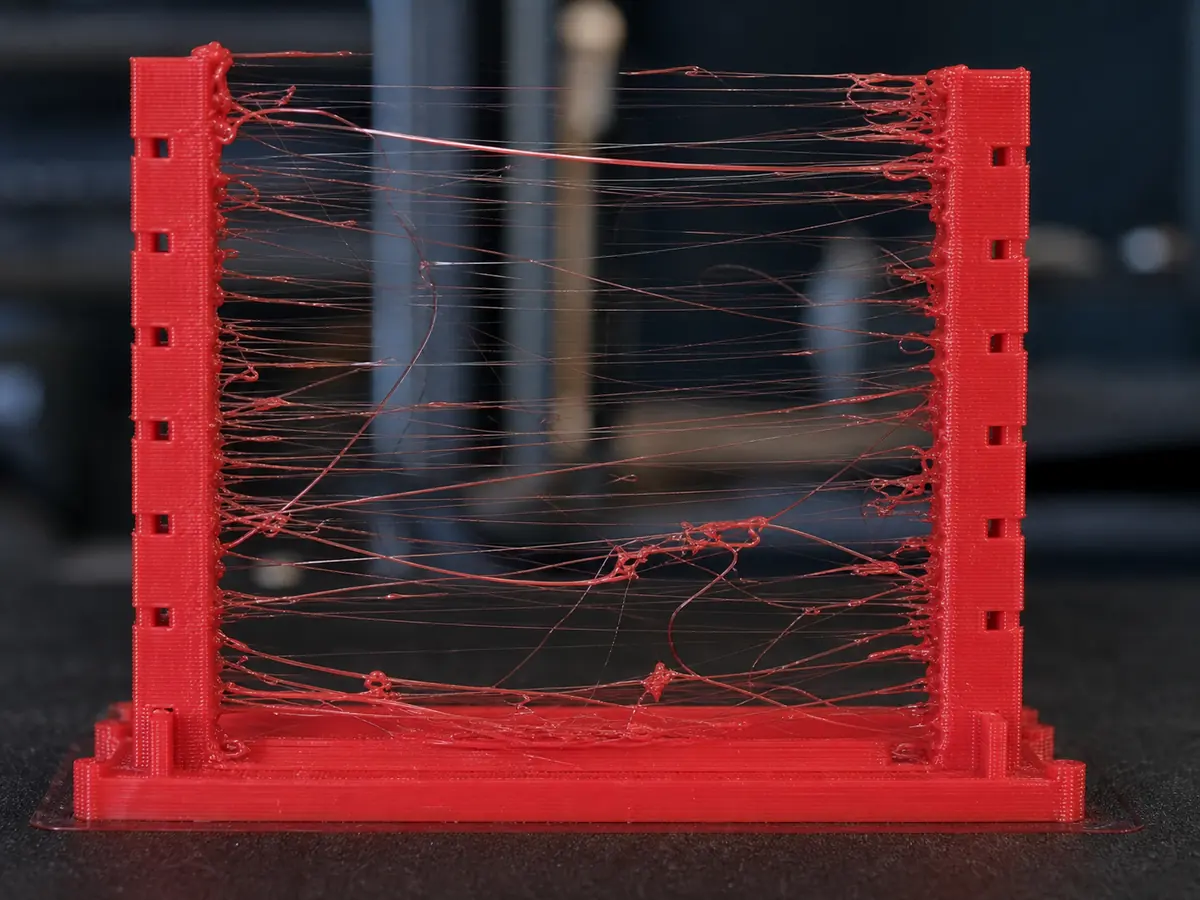
Likely causes
Wet filament or too high nozzle temperature
Dry the filament if it pops, sizzles, or strings heavily. Lower nozzle temperature by 5 C steps until strings reduce without causing under-extrusion. PETG usually needs extra drying and slower travel tuning.
Retraction too low or too slow
Increase retraction distance or retraction speed in small steps. For direct drive printers, start with short retractions; for Bowden printers, expect longer values.
Travel settings need tuning
Increase travel speed, enable avoid crossing walls when useful, and keep the nozzle from dragging across open gaps.
Recommended settings by material
| Material | Nozzle | Bed | Fan |
|---|---|---|---|
| PLA | 195-210 C | 50-60 C | 80-100% |
| PETG | 230-245 C | 70-80 C | 30-60% |
| TPU | 220-235 C | 40-50 C | 30-50% |
| ABS | 240-260 C | 95-110 C | 0-30% |
| ASA | 240-260 C | 95-110 C | 0-30% |
Prevention tips
Change one setting at a time and reprint a small test piece.
Keep filament dry and store open spools in sealed bags or dry boxes.
Clean the build plate regularly and verify the correct slicer profile before long prints.
Related problems
Last reviewed Jun 15, 2026. Troubleshooting content is for reference only.